Navigating the Shortlister Platform
EXPLORE NEW PLATFORM UPDATES
We hope you enjoy the new platform enhancements; they were inspired by you and the insightful feedback you’ve shared.
INVITE VENDORS TO ENROLL
It’s never been easier to invite vendors to enroll in the Shortlister platform
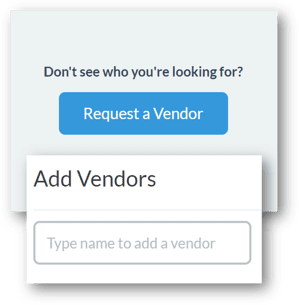
- From the Research tab, search the vendor name. If the vendor is not invited yet to Shortlister, select Request a Vendor and provide the vendor name, contact name and email; Shortlister will do the rest! SEE IT LIVE!
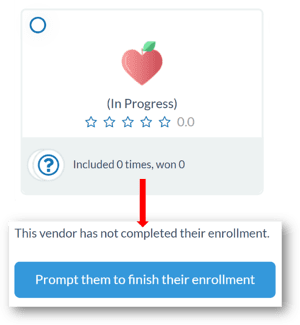
- If you search for a vendor that has been invited but is not done enrolling, the vendor card will show “In Progress”. Click into the vendor card and prompt them to finish enrollment
DIRECT TO RFP - SKIP SURVEY
We know sometimes you’d just like to select your vendors and push a RFP project out to bid. Skip the survey is now available!
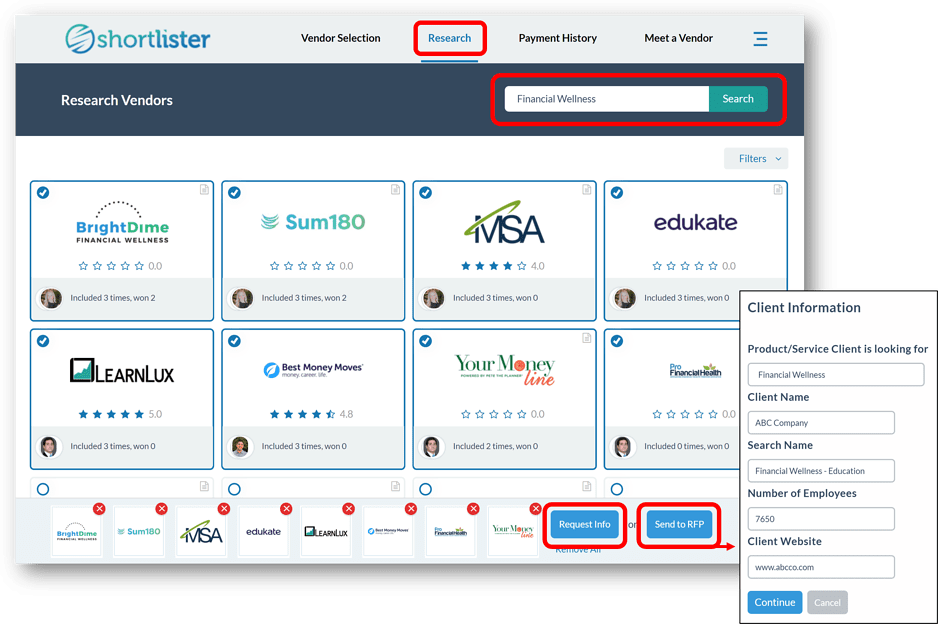
- Research: Select the Research tab in the header to get started
- Search by Vendor or Product Name: Look up vendors by name or product category to select those you’d like to include
- Send to RFP: Notify the selected vendors of the opportunity by providing the client name, group size, program needs and project due dates
- Request Info: Do you just want some general information? Select the vendor(s) and Request Info
INVITE NON-LIVE VENDORS TO RFP PROJECTS
We have hundreds of vendors that are “In Progress” or “Unclaimed” and not live yet for client specific searches. Now, the platform will allow you to add those vendors to your RFP projects!
- From the Research tab, you’ll be able to see “Unclaimed” and “In Progress” vendor accounts when searching by vendor name or product category
- To add these vendors to an draft or pending search, type the vendor name into the “Add Vendor” field
DIRECT RFPS TO YOUR PERSONAL VENDOR CONTACTS
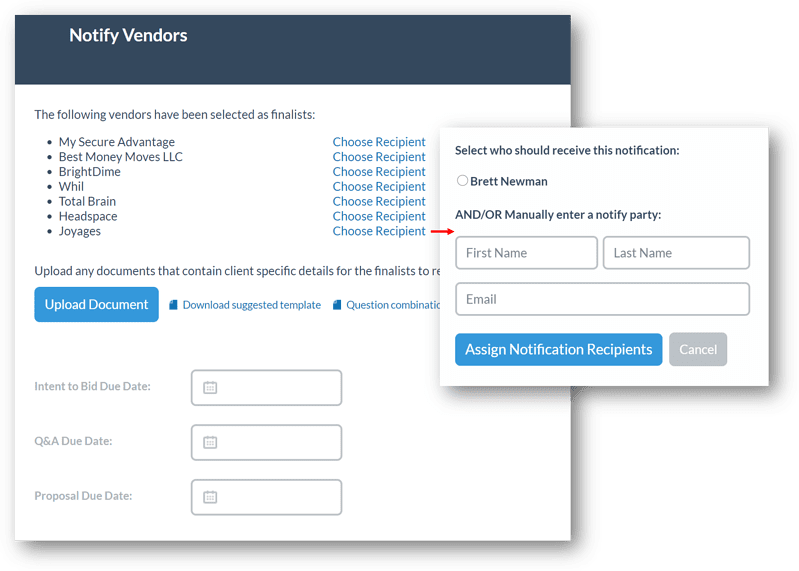
We know relationships matter to you and ensuring your main vendor contact handles your client’s program is often important. Identify your personal vendor contacts, when desired, to be sure they see the RFP request from Shortlister.
Please reach out to Katie Howze – khowze@myshortlister.com – for more information or to schedule a brief training on the new platform functionality.