FINALIST SCORECARDS OVERVIEW
We’ve heard from many of our consultant users- Giving all client attendees “a voice” in vendor presentations takes a lot of time and energy.
In addition, trying to formalize a process across the entire practice without additional investments and training is another obstacle.
The Shortlister Scorecard is the answer! It
can be emailed directly from the platform to each attendee and, once the scores are submitted, the aggregate report can be generated by the consultant user in the click of a button.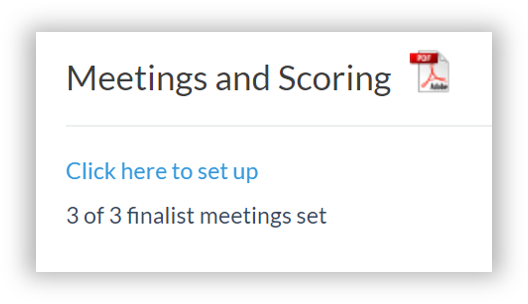
How it works
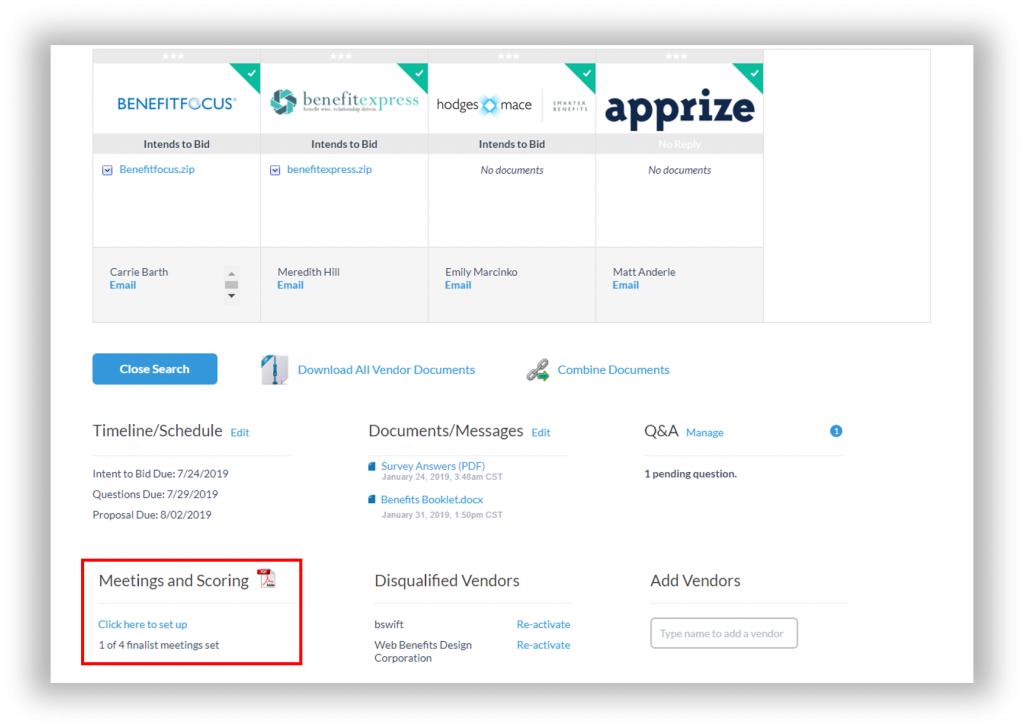
To open the Scorecard, click into the client’s pending search and select “Click here to set up” under “Meetings & Scoring”
This will pop open the Scorecard. Next:
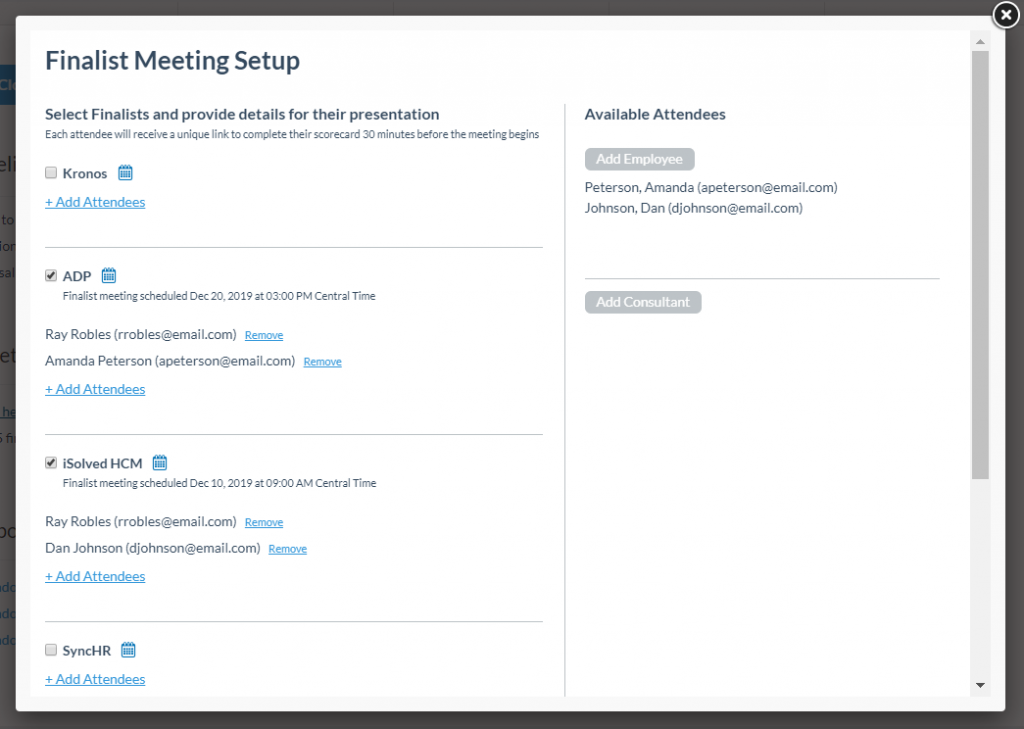
1. Add Attendees by Clicking on the Gray “Add Employee” and/or “Add Consultant” buttons
2. Tell Shortlister when your vendor meetings are occurring by selecting the Vendor and providing the Presentation Date, Start Time and Time zone of the meeting.
3. Add Attendees under the scheduled Vendor Meetings
4. If you’d like, add two custom questions to the scorecard, to add “Click here to add custom questions (optional)” at the bottom
5. Once you’ve input your meetings and attendees, click “Save and Return to Bid Dashboard”
NOTE: Indicating a date/time does not schedule the meeting with the vendor. It simply tells the Shortlister platform when to deliver the survey link. To coordinate date and time, you'll need to reach out directly to the vendors.
30 minutes prior to each vendor presentation, Shortlister will email each attendee an electronic link to the scorecard:
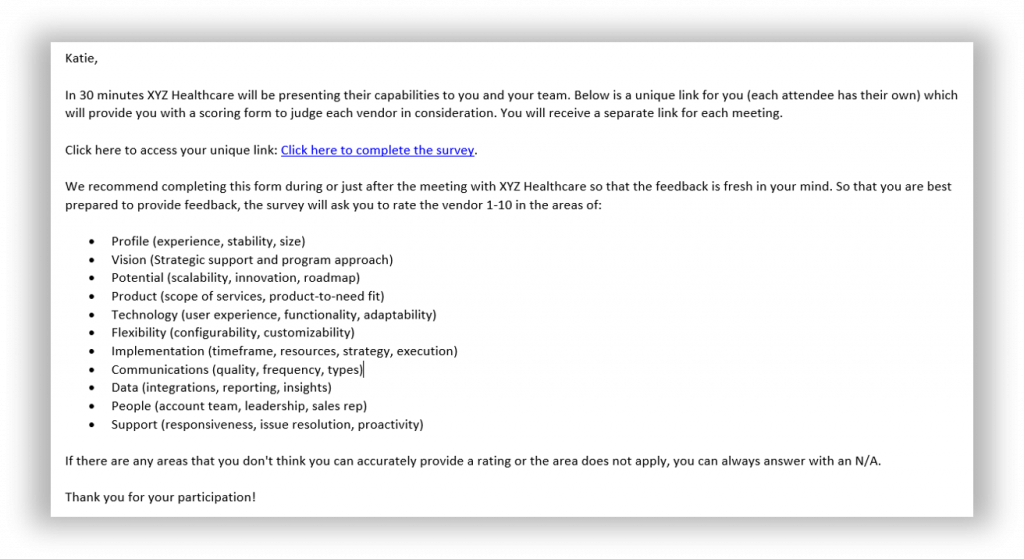
Once the attendee adds their scores and clicks “Submit Survey” their scores will upload to Shortlister and automatically update into the aggregate report.
To access the aggregate report, click into the pending search and click “Download Scores”. This will generate the aggregate report:
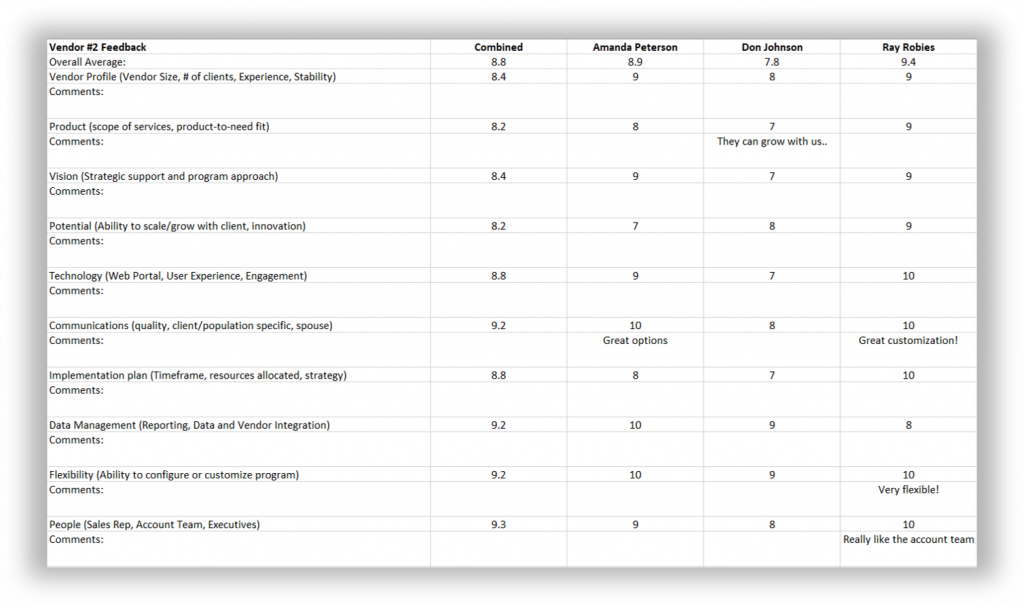
Can I review this feedback when considering the same vendors in the future?
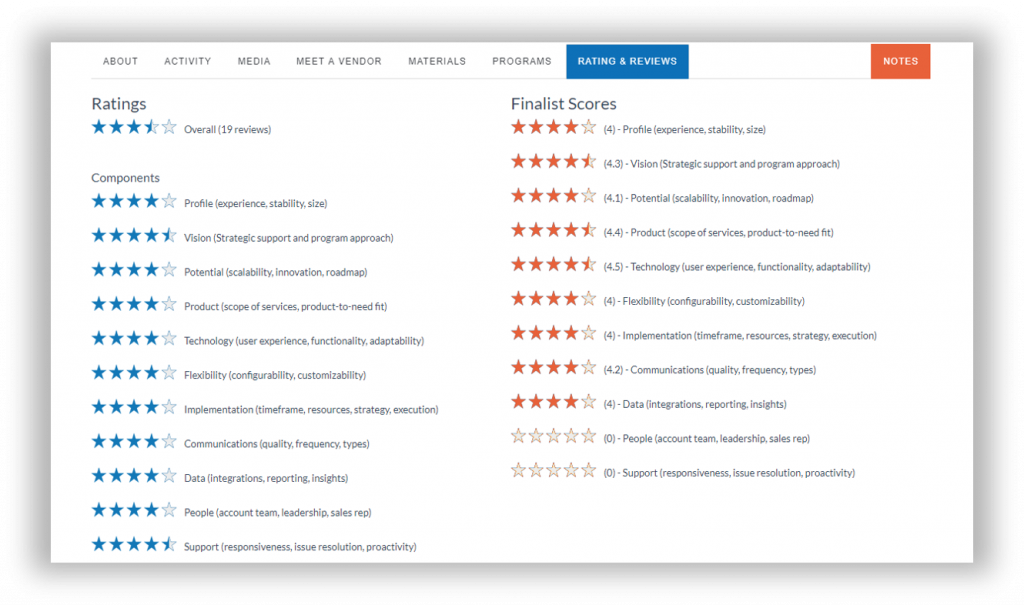
Yes, in addition to being accessible from the client search, all the data is also saved on the vendor profile within the “Ratings & Reviews” tab. Now your entire team can stay informed on feedback from peers and clients during the buying process.
Providing client groups with a thoughtful scorecard will help them pose meaningful questions during vendor demos and affords them the opportunity to share their feedback. Giving them “a voice” in the RFP process, while keeping the assessment functionality neutral and uniform, will continue to be a best practice across the industry. Let Shortlister empower you and keep the process organized and efficient; use the Shortlister Scorecard today!